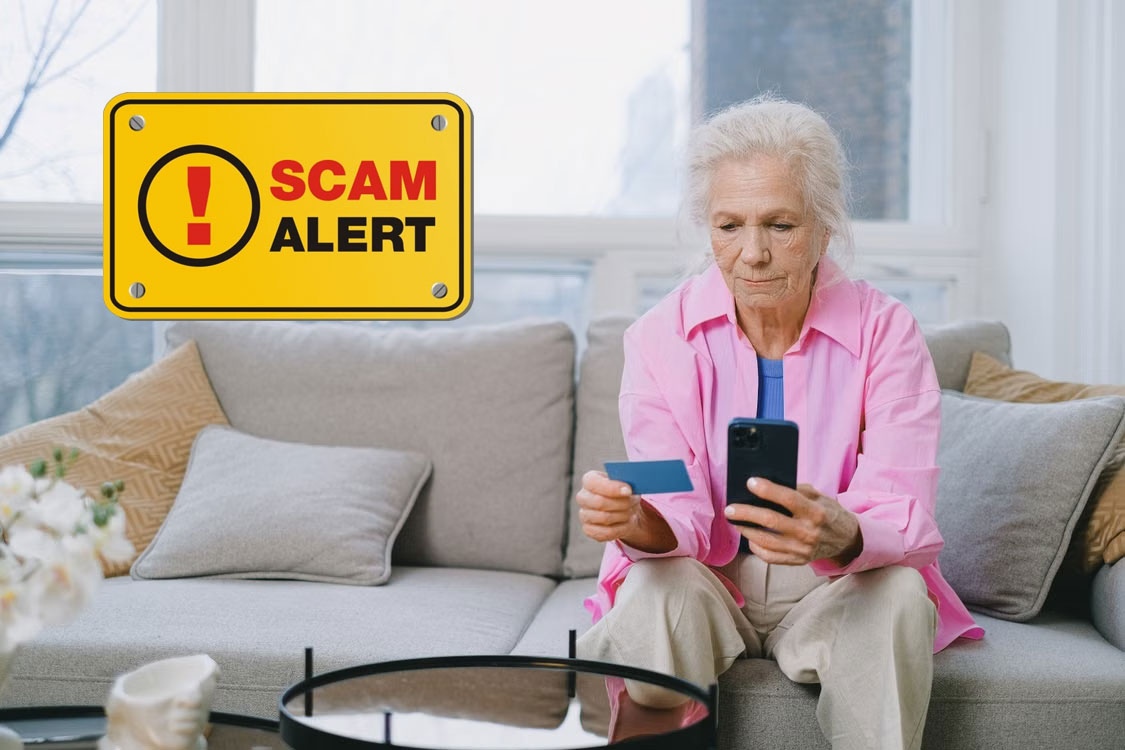
The internet has made life easier in countless ways. From online banking and shopping to video calls with family members across the world, technology has become a part of everyday life for millions of people over 50.
Unfortunately, scammers know this too.
Cybercriminals often target older adults because they tend to have established finances, valuable personal information, and a higher level of trust when interacting online. While anyone can fall victim to an online scam, certain internet habits can increase the risk.
The good news is that most online threats can be avoided by understanding a few common mistakes and making small changes to daily habits.
Here are the 10 biggest internet safety mistakes people over 50 make and how to avoid them.
1. Trusting Emails Simply Because They Look Professional
Years ago, scam emails were often easy to spot. They contained spelling mistakes, poor grammar, and suspicious wording.
Today, scammers use artificial intelligence and professional templates to create emails that look completely legitimate.
Many people postpone them for weeks or even months.
However, updates often contain important security fixes that protect devices from newly discovered threats.
When software is outdated, hackers may exploit known vulnerabilities that have already been patched by developers.
Whether it’s your phone, tablet, computer, or web browser, keeping software updated is one of the easiest ways to improve your online security.
6. Believing Every Urgent Warning Message
Scammers frequently use fear and urgency to pressure people into making quick decisions.
You may see messages claiming:
Your account has been locked.
Your computer has a virus.
Your package cannot be delivered.
Your bank account is at risk.
Immediate action is required.
These warnings are designed to trigger panic.
When people become worried, they are more likely to click links or provide information without thinking.
Whenever you receive an urgent message, slow down and verify the information independently.
Legitimate organizations rarely demand immediate action through threatening emails or text messages.
7. Falling for Tech Support Scams
Tech support scams have become one of the most common threats targeting older adults.
The scam often begins with a pop-up message claiming:
“Your computer has been infected.”
The message may include a phone number and instructions to call immediately.
When victims call, scammers pretend to be technicians and attempt to gain remote access to the device.
Once inside, they may steal information, install malware, or demand payment for fake repairs.
Remember that legitimate companies rarely contact users unexpectedly about computer problems.
If you see a suspicious warning, close the browser and seek assistance from a trusted source.
8. Using Public Wi-Fi Without Caution
Free Wi-Fi can be convenient when traveling or visiting coffee shops.
However, public networks often lack strong security protections.
Sensitive activities such as:
Online banking
Shopping
Accessing financial accounts
should generally be avoided on public Wi-Fi unless you are using a trusted virtual private network (VPN).
Public networks can expose personal information to cybercriminals who are monitoring network traffic.
When possible, use your mobile data connection for important activities.
9. Not Enabling Two-Factor Authentication
Many websites now offer two-factor authentication, often called 2FA.
This feature adds an extra layer of security by requiring a second verification step.
Even if someone steals your password, they may still be unable to access your account without the second code.
Two-factor authentication is available on many services including:
Gmail
Facebook
Instagram
Online banking platforms
Shopping websites
Enabling this feature can dramatically reduce the chances of unauthorized access.
10. Assuming It Won’t Happen to You
Perhaps the biggest internet safety mistake is believing that scammers only target other people.
Many victims consider themselves cautious and intelligent.
Scammers know this.
Modern scams are carefully designed to appear trustworthy and convincing.
They target people of all ages, backgrounds, and education levels.
No one is immune.
The safest approach is to maintain healthy skepticism whenever you receive unexpected messages, requests, or offers online.
A little caution goes a long way.
Simple Internet Safety Habits That Make a Big Difference
The good news is that staying safe online does not require advanced technical knowledge.
A few simple habits can significantly reduce your risk:
Use strong and unique passwords.
Enable two-factor authentication.
Keep devices updated.
Verify unexpected requests.
Avoid clicking suspicious links.
Limit personal information shared online.
Use reputable security software.
Stay informed about new scams.
Most cybercriminals are looking for easy targets.
Taking basic precautions often encourages them to move on to someone else.
Final Thoughts
The internet offers incredible convenience and opportunities for people over 50. It allows us to stay connected with loved ones, manage finances, access information, and enjoy countless online services.
At the same time, scammers continue developing new ways to target unsuspecting users.
The good news is that many online threats can be avoided by recognizing common mistakes and adopting safer habits.
You don’t need to be a cybersecurity expert to protect yourself.
By slowing down, verifying information, keeping your accounts secure, and remaining aware of modern scams, you can enjoy the benefits of the internet while greatly reducing your risk.
Online safety isn’t about fear.
It’s about staying informed and making smart decisions every time you go online.
Lorenzo has been using the internet for as long as he can remember. He was there for the early days of message boards such as Reddit.com, he watched social media take over, and he’s excited to see what comes next.
We use cookies on our website to give you the most relevant experience by remembering your preferences and repeat visits. By clicking “Accept”, you consent to the use of ALL the cookies.
This website uses cookies to improve your experience while you navigate through the website. Out of these, the cookies that are categorized as necessary are stored on your browser as they are essential for the working of basic functionalities of the website. We also use third-party cookies that help us analyze and understand how you use this website. These cookies will be stored in your browser only with your consent. You also have the option to opt-out of these cookies. But opting out of some of these cookies may affect your browsing experience.
Necessary cookies are absolutely essential for the website to function properly. These cookies ensure basic functionalities and security features of the website, anonymously.
Cookie
Duration
Description
cookielawinfo-checkbox-analytics
11 months
This cookie is set by GDPR Cookie Consent plugin. The cookie is used to store the user consent for the cookies in the category "Analytics".
cookielawinfo-checkbox-functional
11 months
The cookie is set by GDPR cookie consent to record the user consent for the cookies in the category "Functional".
cookielawinfo-checkbox-necessary
11 months
This cookie is set by GDPR Cookie Consent plugin. The cookies is used to store the user consent for the cookies in the category "Necessary".
cookielawinfo-checkbox-others
11 months
This cookie is set by GDPR Cookie Consent plugin. The cookie is used to store the user consent for the cookies in the category "Other.
cookielawinfo-checkbox-performance
11 months
This cookie is set by GDPR Cookie Consent plugin. The cookie is used to store the user consent for the cookies in the category "Performance".
viewed_cookie_policy
11 months
The cookie is set by the GDPR Cookie Consent plugin and is used to store whether or not user has consented to the use of cookies. It does not store any personal data.
Functional cookies help to perform certain functionalities like sharing the content of the website on social media platforms, collect feedbacks, and other third-party features.
Performance cookies are used to understand and analyze the key performance indexes of the website which helps in delivering a better user experience for the visitors.
Analytical cookies are used to understand how visitors interact with the website. These cookies help provide information on metrics the number of visitors, bounce rate, traffic source, etc.
Advertisement cookies are used to provide visitors with relevant ads and marketing campaigns. These cookies track visitors across websites and collect information to provide customized ads.