For years, spotting a scam email was relatively easy. Most scam messages were filled with spelling mistakes, awkward grammar, strange formatting, and suspicious requests. Many people learned to recognize these warning signs and avoid becoming victims.
Today, things are very different.
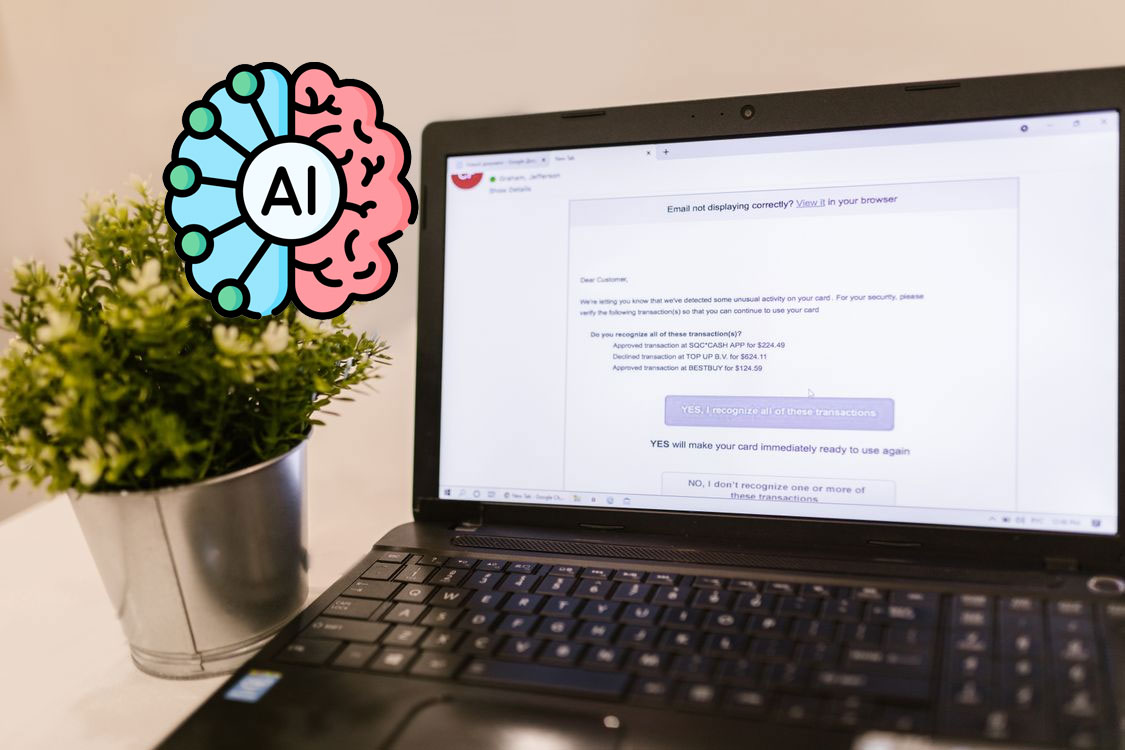
Artificial intelligence has changed the way scammers operate online. Instead of sending poorly written messages that are easy to identify, criminals can now use AI tools to create professional-looking emails in seconds. These messages often look just as polished as emails from your bank, favorite online store, or even your workplace.
As a result, scam emails have become much harder to spot.
If you use email regularly, understanding how AI-powered scams work is one of the most important online safety skills you can learn.
Why AI Is Making Scam Emails More Dangerous
Artificial intelligence can generate human-like writing almost instantly. A scammer no longer needs strong writing skills or fluent English to create convincing messages.
Using AI, scammers can:
Write professional emails without grammar mistakes.
Create messages that sound friendly and trustworthy.
Personalize emails for specific victims.
Generate hundreds of unique scam emails in minutes.
Mimic the writing style of legitimate businesses.
In the past, many people avoided scams simply because the emails looked suspicious. Today, that advantage is disappearing.
An AI-generated scam email may look nearly identical to a legitimate message from a company you trust.
The Old Warning Signs Are Not Enough Anymore
Many online safety guides still tell users to watch for poor spelling and grammar.
While this advice isn’t completely wrong, it is no longer enough.
Consider these two examples:
Years ago, a scam email might say:
“Dear customer, your account have been suspend. Click here immediately.”
Most people would recognize that something was wrong.
An AI-generated version might say:
“Dear Customer,
We noticed unusual activity associated with your account. To ensure your security, please verify your information using the secure link below.”
The second version appears professional, polite, and believable.
The danger is that many people now trust scam emails simply because they look well-written.
How AI Helps Scammers Impersonate Real Companies
One of the biggest threats involves impersonation.
AI can help criminals copy the tone and style of these organizations. Some scammers even study real company emails before creating fake versions.
Imagine receiving an email that appears to come from your favorite online store. The logo looks correct. The writing sounds professional. The formatting looks authentic.
The only problem is that the email is fake.
Its goal may be to steal your password, financial information, or personal details.
Personalized Scams Are Becoming More Common
Another reason AI-powered scam emails are effective is personalization.
Scammers often collect information from social media, public websites, and previous data breaches.
AI can then use this information to create customized messages.
For example, a scam email might include:
Your name
Your city
Your employer
A recent purchase
A hobby or interest
When an email contains personal information, people are more likely to trust it.
Many victims assume that only legitimate companies would know these details.
Unfortunately, scammers often have access to more information than most people realize.
The Rise of Business Email Scams
AI is not only targeting everyday internet users.
Businesses are also becoming major targets.
A growing threat involves scammers pretending to be company executives, managers, or coworkers.
An employee may receive what appears to be a normal email from their boss requesting an urgent payment or sensitive information.
Since AI can mimic writing styles, these messages often feel genuine.
In some cases, companies have lost thousands or even millions of dollars because employees believed the emails were legitimate.
This type of attack is often referred to as Business Email Compromise, or BEC.
How to Spot an AI-Generated Scam Email
Although AI-generated scams are more convincing, they still leave clues.
Here are some warning signs to watch for.
Unexpected Urgency
Scammers want victims to act quickly.
Be cautious of messages claiming:
Your account will be closed.
Your payment failed.
A package cannot be delivered.
Immediate action is required.
Pressure is one of the oldest scam tactics and remains effective.
Suspicious Links
Never trust a link simply because the email looks professional.
Before clicking, hover over the link and inspect the destination.
If the website address looks unusual, misspelled, or unrelated to the company, do not proceed.
Requests for Sensitive Information
Legitimate companies rarely ask for passwords, banking details, or verification codes through email.
If an email requests this information, treat it with extreme caution.
Unexpected Attachments
Attachments may contain malware designed to infect your device.
Avoid opening files from unknown senders or unexpected emails.
Email Address Mismatches
Always check the sender’s email address.
A message may appear to come from a trusted company while actually being sent from a completely unrelated address.
The Best Defense Is Verification
One of the simplest ways to avoid email scams is to verify information independently.
If you receive a message claiming to be from your bank, do not click any links inside the email.
Instead:
Open your browser manually.
Visit the bank’s official website.
Log in directly from there.
Contact customer support if needed.
The same rule applies to online stores, government agencies, and service providers.
When in doubt, verify before taking action.
Simple Email Safety Habits Everyone Should Follow
You don’t need to be a cybersecurity expert to stay safe.
Avoid sharing excessive personal information online.
Use reputable antivirus software.
Stay informed about new scam techniques.
Small precautions can prevent major problems.
Final Thoughts
Artificial intelligence has made scam emails more convincing than ever before. The days of obvious spelling mistakes and poorly written phishing attempts are fading quickly.
Today’s scam emails often look polished, professional, and trustworthy.
That is exactly what makes them dangerous.
The good news is that scammers still rely on the same basic goal: getting people to act before they think.
By slowing down, verifying information, and treating unexpected emails with caution, you can protect yourself from many of the scams circulating online today.
Remember, the most effective online safety tool isn’t software or technology.
It’s taking a moment to pause and verify before you click.
Sources
Federal Trade Commission (FTC) – Consumer Advice on Phishing and Online Scams https://consumer.ftc.gov
Cybersecurity and Infrastructure Security Agency (CISA) – Phishing Guidance https://www.cisa.gov
Lorenzo has been using the internet for as long as he can remember. He was there for the early days of message boards such as Reddit.com, he watched social media take over, and he’s excited to see what comes next.
We use cookies on our website to give you the most relevant experience by remembering your preferences and repeat visits. By clicking “Accept”, you consent to the use of ALL the cookies.
This website uses cookies to improve your experience while you navigate through the website. Out of these, the cookies that are categorized as necessary are stored on your browser as they are essential for the working of basic functionalities of the website. We also use third-party cookies that help us analyze and understand how you use this website. These cookies will be stored in your browser only with your consent. You also have the option to opt-out of these cookies. But opting out of some of these cookies may affect your browsing experience.
Necessary cookies are absolutely essential for the website to function properly. These cookies ensure basic functionalities and security features of the website, anonymously.
Cookie
Duration
Description
cookielawinfo-checkbox-analytics
11 months
This cookie is set by GDPR Cookie Consent plugin. The cookie is used to store the user consent for the cookies in the category "Analytics".
cookielawinfo-checkbox-functional
11 months
The cookie is set by GDPR cookie consent to record the user consent for the cookies in the category "Functional".
cookielawinfo-checkbox-necessary
11 months
This cookie is set by GDPR Cookie Consent plugin. The cookies is used to store the user consent for the cookies in the category "Necessary".
cookielawinfo-checkbox-others
11 months
This cookie is set by GDPR Cookie Consent plugin. The cookie is used to store the user consent for the cookies in the category "Other.
cookielawinfo-checkbox-performance
11 months
This cookie is set by GDPR Cookie Consent plugin. The cookie is used to store the user consent for the cookies in the category "Performance".
viewed_cookie_policy
11 months
The cookie is set by the GDPR Cookie Consent plugin and is used to store whether or not user has consented to the use of cookies. It does not store any personal data.
Functional cookies help to perform certain functionalities like sharing the content of the website on social media platforms, collect feedbacks, and other third-party features.
Performance cookies are used to understand and analyze the key performance indexes of the website which helps in delivering a better user experience for the visitors.
Analytical cookies are used to understand how visitors interact with the website. These cookies help provide information on metrics the number of visitors, bounce rate, traffic source, etc.
Advertisement cookies are used to provide visitors with relevant ads and marketing campaigns. These cookies track visitors across websites and collect information to provide customized ads.